1. Put a SSD in the primary and a HDD in the optical bay:
SSD would be . I want to use this because it has been used by a lot of people reparing XBOX 360 and PS3.
Here's a picture of the paste currently:
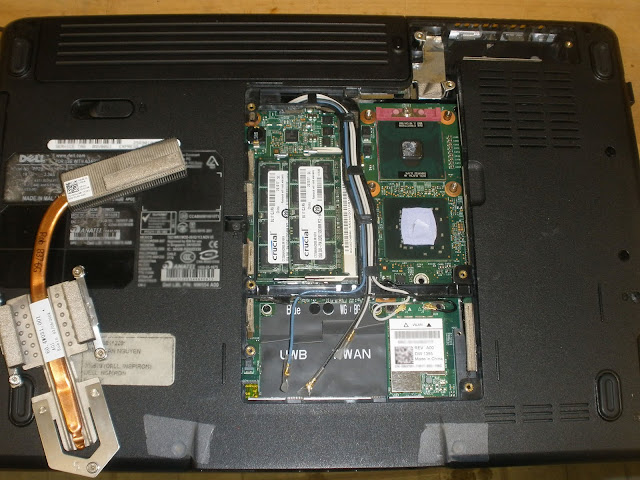
There are two chipsets I would like to put thermal paste on, they're on the right of the ram chips. The top one with the metallic plate I assume is the cpu. If I flip over the heat sink the area in contact with the set has thermal paste already hardened. I would like to clean them off and apply fresh paste.
The chipset on the bottom with the thermal pad. I t doesn't seam like the pad covers everything. I would like to take it off and put thermal paste on there. My main concern is that arctic silver conducts electricity and I'm not sure I should put it on because I suspect the little bumps might be individual components.
What do you guys think? I am buying the right stuff?
Thanks,

No comments:
Post a Comment